7 Best Android Hacking Apps on the Internet Ever in 2017

In the era of android operating system, It really reduces our workload and we can down many of thing with the android smartphone in just a few clicks. So Guys, on the other hand, there is a black world of android apps that can be used by hackers to do illegal and strange activities. In technical language, there are lots of apps which are used to do hacking and other illegal stuff that against android’s policy. Our purpose is not to promote these apps but aware about these android hacking apps that these apps exist too. Many of android users not aware about these apps cause these are not available on google play store but you can find these apps on the internet freely. You can even search on internet about best android hacking apps and you can easily get these apps.
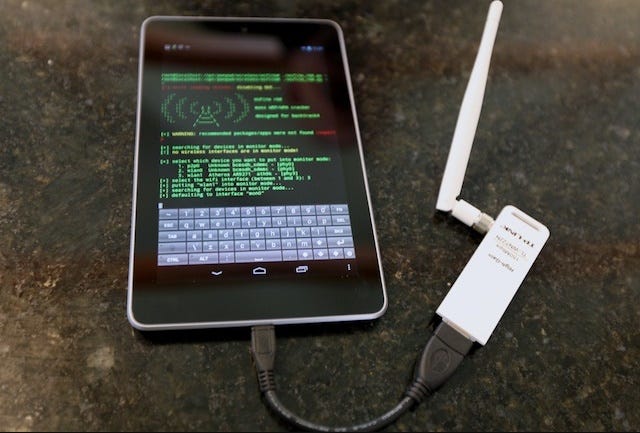
There are millions of android apps on google play store’s ad on the internet available for users but you know very good side has bad side So on the internet there are bad android apps also exist that we listed as most notorious android apps used by hackers and crackers.
Zanti
Zanti is one of the top notorious app developed by Zimperium and have many of download. Basically, this app is used for wi-fi network penetration or security assessment. But on the other side, many users perform wi-fi hacking and do illegal activities using this app. Using this app you can control those smartphone, tablets devices who connected same wi-fi- as you. You can also do a prank with your friends and redirect to particular URL and upload images to his screen and more stuff.
Droidsqli
Many of your heard about SQL Injection attack that most of the time perform on vulnerable websites and all and now there is one app named DroidSQLI that enable you to perform SQL Injection on websites through your android device. This is one and only app which perform an SQL injection attack. Many of app are available but no one can beat this one. This app is also known as one of the best hacking apps for android smartphones.
Dsploit
Dsploit is a power suit app for network assessment. You can fully analyse your network that which services and devices running on your network. Who is connected to your network and all types of information? Many of black hat use this app to hack into the network and get access to devices and also deserved in the list of android hacking apps. In this app, you can access to features like Login Cracker, Simple sniff, password sniffer and kill connection and lot of other features that many of hackers and crackers need it.
WPA WPS Tester
WPA WPS tester app is usually used to check wi-fi vulnerability but now these days people use this app for wi-fi hacking. When you launch this app they show you the vulnerable wifi in the green tab so you can easily apply random PIN that given by this app and get wifi password of that network. Basically thi app is used for educational purpose but people use this app for hack wifi password on android. To Use this app correctly you need to root your smartphone so you can easily hack wifi password. This app is basically for finding network vulnerability so we recommend to not use this app for hacking.
Nmap
Network map is one of the most popular names in network mapping cause this is powerful tool bu whole networking industry so they also developed Nmap app for android. It is working on both rooted and unrooted smartphone. Basically, it can map your all of network like who is connected to it who is trying to connect and this kind of information that mapping process need. Nmap is used by network professionals who perform network exploration to find vulnerable part of the network.
it can scan the whole network including ports, network protocol, users and other details of hosts who are connected. It can show your network details after mapping so you can find vulnerable part of your network and fix it.
APK Inspector
Many of android users know this app named APK inspector cause this is the most popular app in the field of reverse engineering. You can get any android app’s source code using this app and do changes in source code and get access to their full features. You can perform reverse engineering on any android app and make changes as your desired and perform any of task you want by some apps. You can fully control any android apps by make changes. You need to root your smartphone if you want to access this app on your android devices.
AndroRAT
First Android Remote Administration tool that let you access to some other system via remote connection from your android device. You can control other machines with this small android app. Many of users illegally use this app to access someone computers or smartphones nd performs illegal activities. It is based on client/Server connection and operation performed between them.
Original Source of Content http://www.nextleveltricks.com